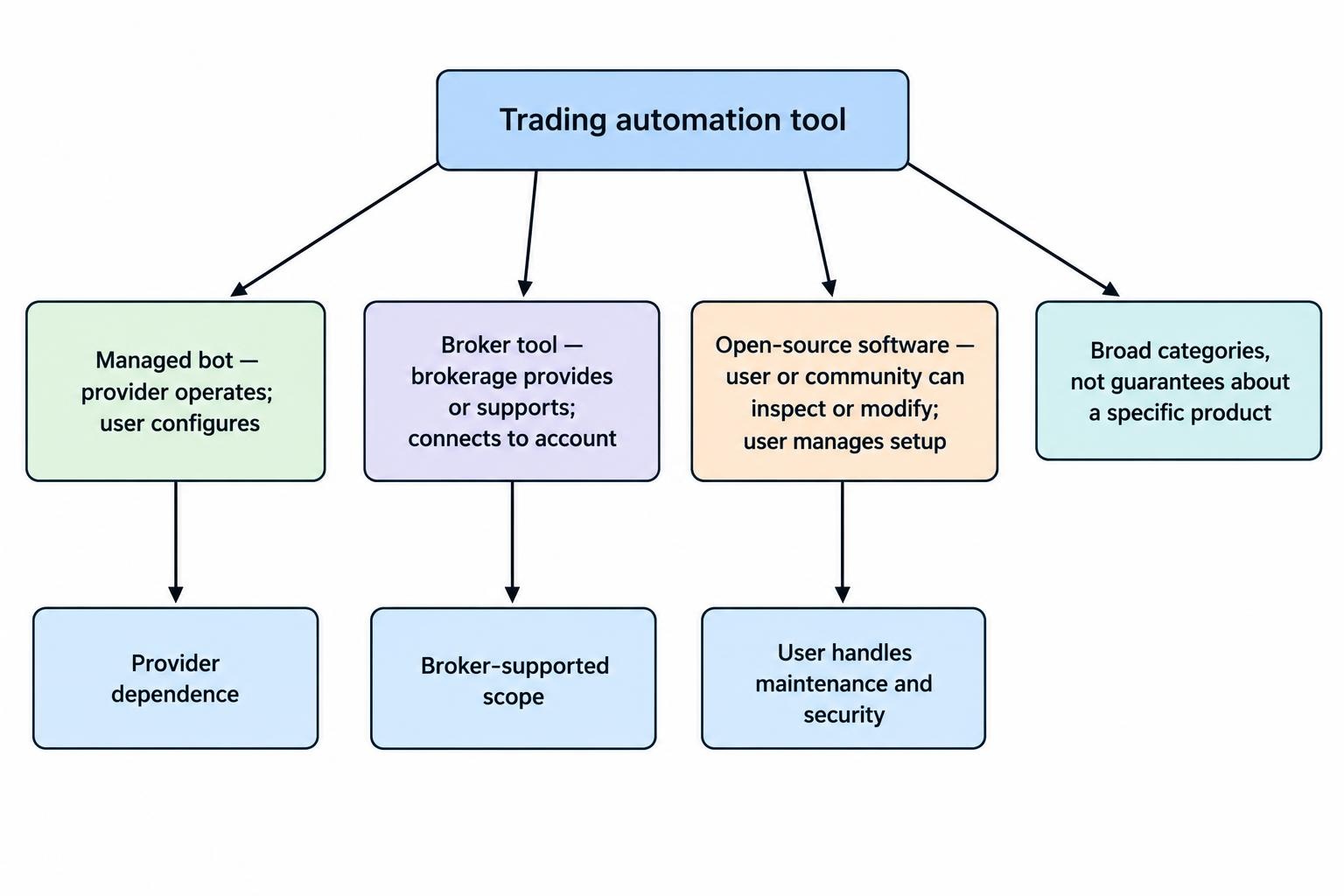
Retail traders can access trading automation through a managed bot service, tools supplied by a brokerage, or open-source software they run themselves. The labels can blur: a broker may offer a third-party bot, while an open-source project may charge for hosted access. The useful distinction is who controls the software, who can see or change its decisions, and what happens when an order reaches the market.
These options differ in setup, flexibility, costs, security and responsibility. A managed bot can be quick to start, but its logic may be hard to inspect. A broker tool may connect neatly to an account, though its features and supported markets are set by the broker. Open-source software offers more control, but someone must install, review, secure and maintain it. None of those arrangements makes a trading strategy profitable. The best fit depends on what you need the tool to do and how much of its operation you can supervise.
How the three types of trading tools differ
| Type | Who controls it? | Typical strengths | Common trade-offs |
|---|---|---|---|
| Managed trading bot | A commercial provider operates the software, often through a web or mobile service. | Quick setup, guided settings and provider-managed hosting. | Subscription fees, less visibility into the logic, and reliance on the provider’s security and uptime. |
| Broker tool | The brokerage provides or supports the tool, which may be built in or supplied by a partner. | Direct account connection, familiar account controls and fewer separate services to configure. | Choices may be restricted to the broker’s markets, features or approved integrations. |
| Open-source software | The user or community can inspect and modify the code; the user generally manages the setup. | More room to inspect, customize and test the system. | Technical work, ongoing maintenance and responsibility for secure configuration. |
These are broad categories, not guarantees about any individual product. A “broker tool” could be a simple alert or order ticket rather than an autonomous bot. A managed bot may let users change settings without exposing its source code. An open-source project might offer a paid hosted version. Compare the product’s actual access, operation and support arrangements rather than relying on its label. If you are choosing between different software formats, the guide to AI trading tools and platforms provides the wider context.
Managed trading bots: convenience with provider dependence
A managed bot is usually operated through an account on a provider’s website or app. You might select a market, configure a strategy, set parameters and connect a brokerage account or exchange account. The provider handles some or all of the hosting and software updates. That can reduce the amount of infrastructure you need to manage, but it does not remove the need to check what the bot can do and what access you have granted it.
Before paying, establish whether the service only generates signals or can place orders automatically. Find out how it connects to your account, whether it needs trading permissions, what markets and order types it supports, and how you can stop trading quickly. Read the fee terms, including any charges tied to account size, performance, data or extra features. Check how to cancel, what happens to open positions if the service stops, and whether you can export your trade history and settings.
The main trade-off is convenience against visibility and control. Some providers disclose how a strategy works; others share only a general description. If the logic, testing method or risk controls are opaque, it is hard to judge whether the bot is behaving as expected. A dashboard showing recent gains does not tell you how it performed in different market conditions, whether those results include costs, or how large the losses were. For a structured checklist, see how to evaluate an AI trading platform before paying.
Provider dependence also matters when the service is unavailable, changes its terms or closes. A bot that requires a constant connection can stop functioning during a provider outage or an account-connection failure. Ask what alerts you will receive and whether the system can leave orders open or positions unmanaged if it disconnects. Keep a way to check and manage the brokerage account independently, rather than treating the bot’s screen as the only record of what happened.
Broker tools: closer to the account, but not always more capable
Broker-provided tools can include screeners, alerts, strategy builders, automated order rules or integrations with outside software. Their practical advantage is the connection to the account where trades are executed. Depending on the product, that may mean fewer connection steps and clearer access to account balances, orders and positions. Still, a broker’s tool may not offer the range of strategies, markets or customization available elsewhere.
Read the product description carefully. Some tools only help analyze or prepare an order; they do not make independent trading decisions. Others may automate defined instructions, but only for certain products or account types. Check what the tool can access and what it can change. Confirm whether you must approve each order, whether it can trade when you are offline, and what happens if an order is rejected or partially filled.
A tool offered inside a brokerage account should not be confused with a promise of advice or supervision. The service’s terms explain the provider’s role and the limits of the tool. Automated outputs may reflect preset assumptions or incomplete information about a user’s circumstances. FINRA’s overview of automated investment tools and their limitations notes that outputs depend on the information and assumptions built into a tool. That is a useful reminder to treat signals as inputs to a decision, not proof that a trade is suitable.
Also check whether a broker tool depends on a partner. The brokerage may handle account execution while another company supplies the analysis or automation. That arrangement can affect support, data sharing, fees and the process for revoking access. Identify which company to contact if a connection fails, and whether the broker can see or troubleshoot the partner software’s activity.
Open-source software: more visibility, more work
Open-source trading software makes its source code available under a license that permits some forms of inspection or modification. That can be useful for traders who want to review how signals are generated, adapt features, or run their own tests. It does not mean the software is automatically secure, well-maintained or profitable. Code can contain defects, depend on outdated packages, or behave differently from what its documentation suggests.
Using an open-source bot often requires technical work: installing dependencies, configuring market data, connecting an account, setting risk limits and keeping the system running. The user is responsible for checking that the strategy does what its author claims, that errors are handled sensibly, and that updates do not break the setup. Even if a community helps answer questions, it may not provide guaranteed response times or take responsibility for losses.
Inspect the project’s license, update history, documentation and issue reports. Look for a clear explanation of supported markets, order handling, test methods and known limitations. Review the code before giving it access to an account, especially if it handles credentials or sends data to an outside service. Avoid pasting API keys into public discussions or storing them in plain-text configuration files. The security design of a specific project needs to be checked directly; the “open-source” label is not a security audit.
Open-source tools can be self-hosted on a personal computer or server, or connected to paid hosting. Self-hosting gives the operator control over the environment, but also makes that operator responsible for uptime, updates, backups and access control. A home computer that sleeps, loses internet access or reboots for updates may not be suitable for continuous trading. Hosting elsewhere can improve availability, but introduces another service and another place to secure credentials.
Costs are more than the listed subscription price
Managed bots often charge a subscription, a fee based on account size, or a fee for additional features. Broker tools may be included with an account, limited to certain customers or priced separately. Open-source software may be free to download, yet still require paid data, computing, hosting or developer time. Trading itself adds costs such as commissions, spreads, slippage and financing charges, where applicable. A low software fee does not make the strategy inexpensive if it trades frequently.
Compare the full operating cost over a realistic period. Include market data, any required third-party services, account fees, hosting and support. Then check whether the advertised backtest or performance figures include trading costs. If results omit costs, they can give a misleading picture of how a strategy might behave in a live account. The related guide to platform evaluation covers the questions to ask before committing to a paid service.
Account access and security deserve close attention
Any service connected to a financial account creates an access decision. Determine whether it uses an official connection, an API key, or asks you to provide account credentials directly. Where API access is available, grant only the permissions needed for the task. A tool that places trades generally should not need permission to withdraw funds. Use separate credentials where the platform supports them, enable available account security protections, and revoke access when you stop using the service.
Check what personal and account data the provider collects, where it is stored, and whether it is shared with partners. Consider what happens if the provider’s account is compromised or the service is acquired. FINRA warns that unregistered auto-trading services may make unsupported performance or AI claims and that sharing brokerage credentials can raise privacy and financial safety concerns. Its warning about auto-trading services also recommends verifying providers and monitoring activity even when automation is in use.
Be skeptical of claims that a bot can guarantee returns, eliminate risk or reliably predict market moves. Ask for evidence that can be checked: what was tested, over what period, whether the results were live or simulated, and how losses and costs were accounted for. A polished interface and confident marketing language are not substitutes for documentation. More warning signs appear in the guide to recognising AI trading bot scams and misleading marketing.
How to choose a type that fits your needs
Start with the task. If you want alerts or help organizing research, you may not need a bot that can place trades. If you want to automate a narrow, rule-based process, check whether a broker tool supports it before adding a separate service. If you need to inspect or modify the strategy, open-source software may offer more control, provided you can take responsibility for its setup and maintenance. A product with more features is not automatically a better fit.
Then assess how much oversight you can provide. Automated trading still needs monitoring. Someone must notice unexpected orders, connection failures, unusually large positions or changes in system behavior. Set a maximum amount of capital at risk, define conditions for pausing the system, and make sure you know how to cancel orders and close positions manually. Test the setup in a simulated or paper environment first, while remembering that simulated fills may not match live execution.
- Choose a managed bot if ease of setup matters most and you are comfortable relying on a provider whose strategy and operations you have reviewed.
- Choose a broker tool if its supported functions meet your needs and you prefer a direct, account-level integration.
- Choose open-source software if you can review and maintain the system, and want more control over its code and operation.
These choices are not permanent. A trader might begin with alerts or paper trading, then consider automation after learning how the rules behave. Before moving from simulation to live orders, document the strategy, its failure conditions and the amount of risk allowed. The guide to what paper trading can establish explains why a simulated record is useful but cannot prove how a system will perform with real orders.
Questions to answer before connecting a bot
Before enabling any tool, make sure you can answer practical questions without relying on its sales page: What triggers an order? What position size can it open? Can it submit multiple orders after a delay or reconnection? How are rejected orders handled? Does it have a stop condition, and can you override it? Where are the logs and account records? If the provider or software stops working, what is your next step?
Finally, separate responsibility from convenience. The software may analyze a market or send orders, but the account holder still needs to understand the permissions granted, the risks taken and the process for stopping activity. Start with the least access and automation that meets the task. Expand only after testing shows that the system behaves as intended, and keep reviewing its activity rather than assuming that a quiet dashboard means everything is fine.