A trading system can have sound logic and still fail for a simple reason: someone gets hold of its API credentials. A leaked key may let another person read account information, place orders, or change positions, depending on the permissions the provider grants. The exact risk varies by platform and account settings, so treat every trading credential as sensitive—even when it cannot withdraw funds.
Protecting a key means controlling where it is stored, which actions it permits, and which software or people can access it. It also means knowing how to revoke it quickly. These controls matter whether a script runs on a personal computer, a server, or a hosted service. They are part of automating AI trading and managing execution, not an afterthought to add once a bot is live.
What a broker API key can expose
An API key identifies an application or account to a service. In many trading APIs, it is paired with a secret, token, or other credential that proves the request is authorized. The combination may be able to read account details, retrieve market or order data, submit orders, or cancel them. Available actions depend on the provider’s API and the permissions assigned to that key. A key with no withdrawal permission can still be dangerous: unwanted trades may cause losses, alter exposure, or leave positions that need attention.
Keep API credentials separate from your normal website password. Do not give a trading script your brokerage login unless a provider’s official process specifically requires it—and understand what access that process grants before proceeding. Prefer a dedicated API credential with narrow permissions. If a provider does not offer the controls you need, treat that as a risk to weigh before connecting an automated system.
Start with the narrowest permissions
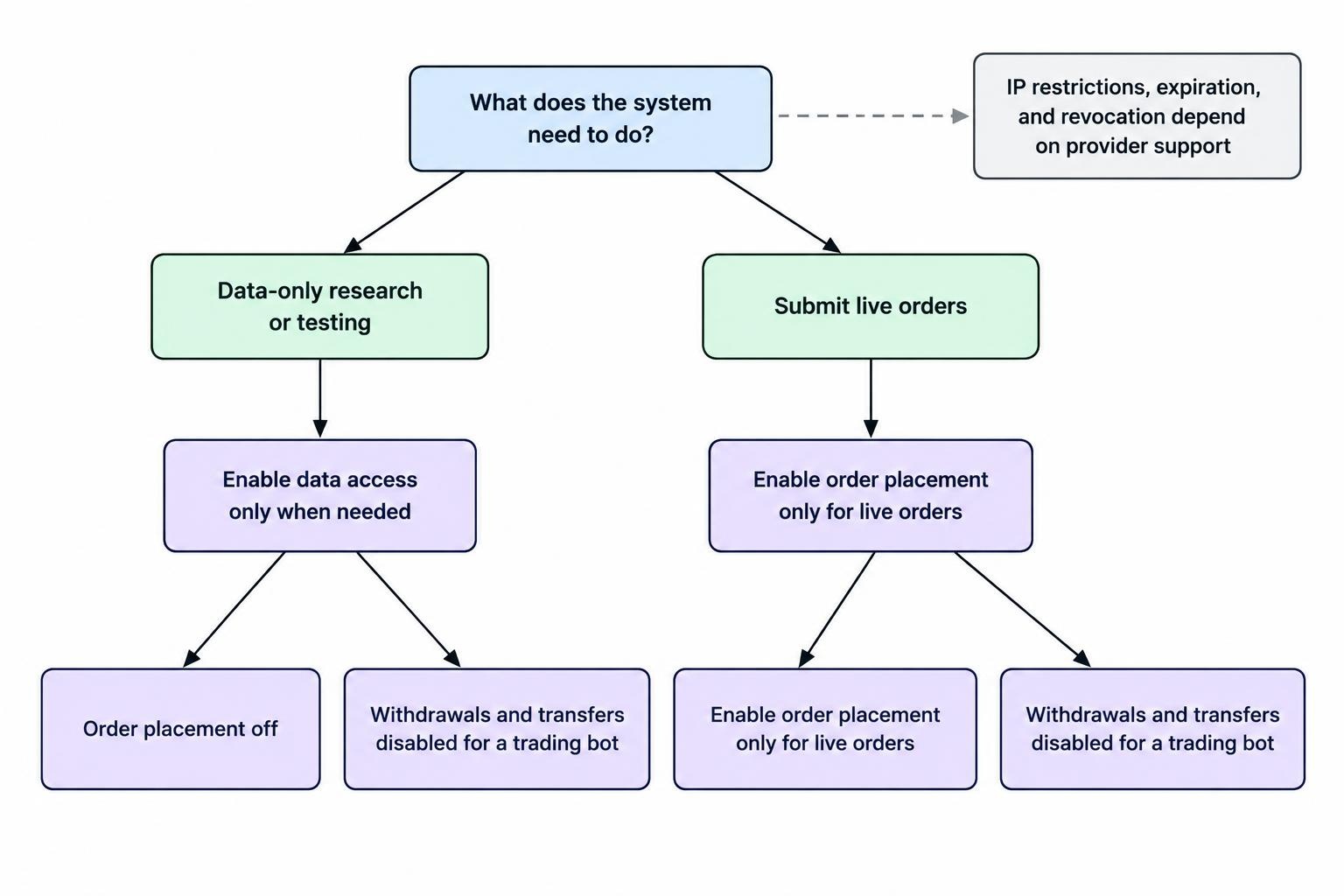
Before creating a key, list the actions the system actually needs. A tool that only downloads account history should not have permission to place orders. A strategy that submits trades may need order access, but it may not need permission to change account settings or transfer money. Permission names and available restrictions differ among providers, so inspect the provider’s own documentation and dashboard rather than assuming a label means the same thing everywhere.
| Permission or control | Question to ask | Safer starting point |
|---|---|---|
| Account and position access | Does the software need to read this information? | Enable only the data access required for its task. |
| Order placement | Will the system submit live orders, or only analyze data? | Keep order permissions off during research and testing. |
| Withdrawals or transfers | Does the API offer these actions, and could the system need them? | Leave them disabled for a trading bot. |
| IP or application restrictions | Can the provider limit where requests originate? | Restrict access to a fixed server address when supported and practical. |
| Expiration and revocation | Can the key expire, be replaced, or be revoked promptly? | Use short-lived credentials when available; know the revocation steps. |
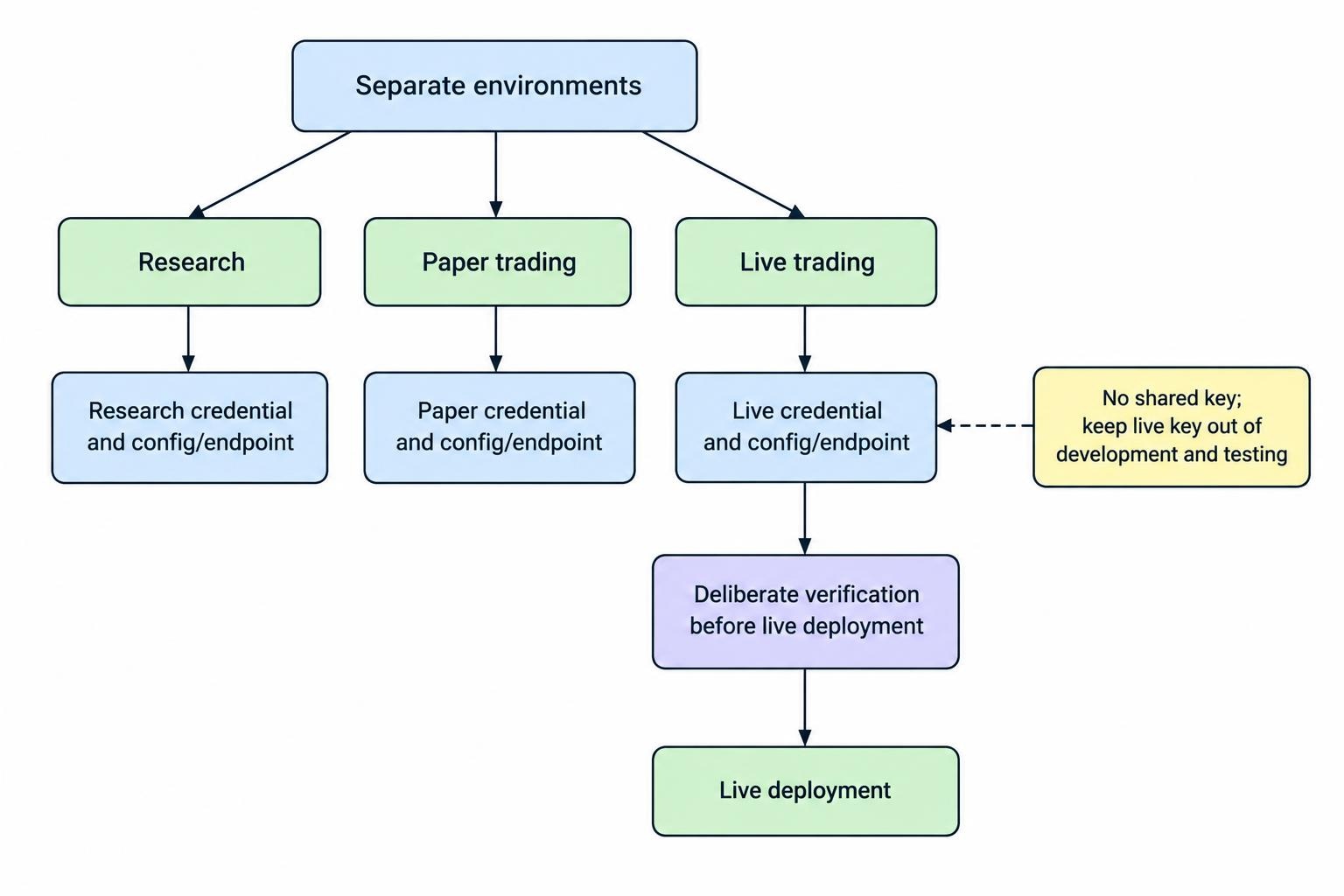
Separate credentials by purpose and environment. A research notebook, a paper account, and a live trading process should not share one key. If a development tool is compromised or a test script behaves unexpectedly, separate credentials reduce the chance that the incident also reaches the live account. Keep paper credentials and live credentials clearly separated in configuration, too; a mistaken endpoint or setting should not silently turn a test into a live trading session.
Where the provider supports IP allowlisting, restrict a key to the known address of the machine that needs it. This can make a stolen credential harder to use from elsewhere, though it is not a substitute for strong storage or limited permissions. Do not rely on an IP restriction if your server’s address changes without warning or if your setup sends requests through an unrecognized network. Test the restriction and keep a recovery plan for legitimate connection changes.
Store credentials outside your code
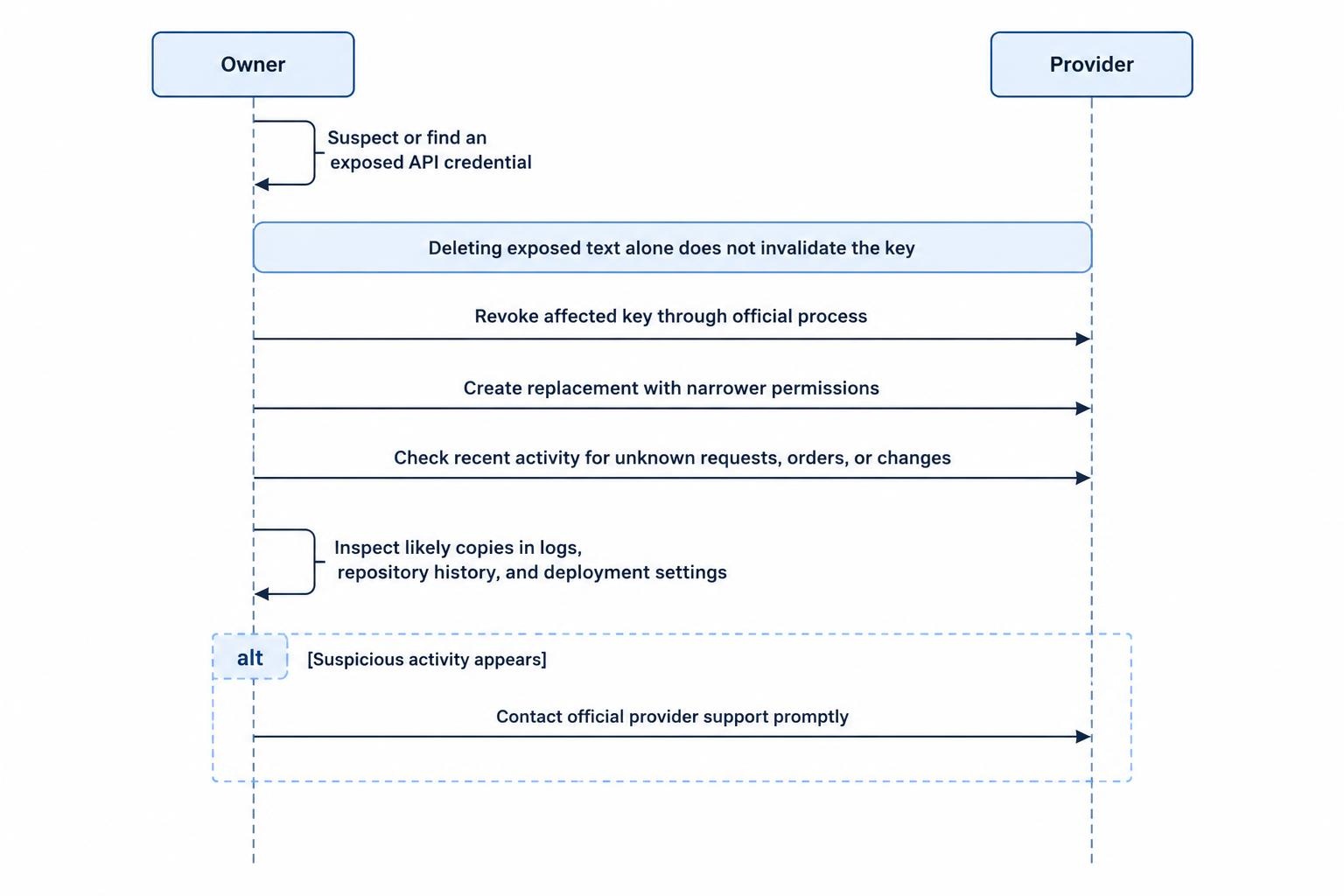
Never paste a live key into a script, notebook, website theme, shared document, or public repository. A credential committed to version control may remain in the repository’s history after the visible line is deleted. The same problem can occur in screenshots, support tickets, crash reports, or terminal output. If a key appears somewhere it should not, assume it may have been copied and revoke it; deleting the exposed text does not invalidate the credential.
For a small local setup, keep secrets in a local configuration mechanism that is excluded from version control and accessible only to the operating-system account running the process. For a hosted system, use the platform’s protected secret-storage feature or a dedicated secrets manager rather than embedding a key in deployment files. Restrict who can view, change, or run jobs that use the secret. The OWASP Secrets Management Cheat Sheet covers least privilege, secret storage, rotation, and incident response in more detail.
Environment variables are often used to pass credentials to applications, but they are not magic vaults. They can be exposed through process inspection, debugging, misconfigured logs, or deployment settings, depending on the system. Use them only within a controlled setup, limit access to the machine and its administrative tools, and avoid printing their values during troubleshooting. Never include a credential in a command that will be saved to shell history.
Do not send API keys to an AI assistant, paste them into a public issue, or ask an unfamiliar support account to inspect them. A request for the full secret is a warning sign. If a support workflow genuinely needs account identification, use the provider’s official channel and share only the information it explicitly requests, without disclosing a secret key.
Limit access to the machine and software
A key is only as protected as the systems that can read it. Use a separate operating-system account for the trading process where practical, and avoid giving that account administrator rights it does not need. Keep the machine and its dependencies updated. Use strong authentication on accounts that control the server, code repository, cloud dashboard, and secrets manager. If several people can deploy code that reads the key, each person may effectively be able to use the key too.
Review the permissions of every connected service. A hosted notebook, automation platform, code repository, or monitoring tool may gain access to secrets through a job configuration or deployment process. Restrict who can edit those jobs and inspect whether logs, previews, or error reports can reveal values. If you are choosing where to run a system, compare the access controls and recovery procedures before deciding between local, VPS, and cloud hosting.
Keep logs useful but free of secrets. Record events such as an order request, an error code, a timestamp, or a key identifier that does not reveal the credential itself. Mask authorization headers and redact request details that could contain tokens. Logs can help investigate an incident, but they can also become another place for a key to leak.
Use paper trading to test the connection
Before granting a system access to live order placement, test its connection and behavior in a paper environment if the provider offers one. Use paper credentials and the paper endpoint, not live credentials with the expectation that a code setting alone will keep trades simulated. Confirm the configured account, endpoint, and permission set each time the system is deployed or changed. Paper trading cannot prove that a system is safe, but it can catch configuration mistakes before they affect a live account.
Keep the live key out of development and testing environments. When moving from simulation to live use, make the change deliberate: create or enable the minimum live permissions, verify the destination account, and start with conservative controls. A separate review of moving from paper trading to live trading can help with the transition, while trading limits and human oversight cover controls that constrain what the connected system can do.
Plan for key rotation and revocation
Rotation means replacing an existing credential with a new one and updating the system that uses it. Do not wait until a key is suspected of exposure to learn where it is stored or how to replace it. Keep a short record of the key’s purpose, the service that uses it, its permissions, and the steps needed to revoke it. Do not record the secret itself in that inventory.
When replacing a key for routine maintenance, test the new credential in the intended environment, update the application’s secure configuration, and confirm the old key has been disabled. Avoid leaving both keys active indefinitely as a convenience. If the provider supports expiration, consider whether it fits the system’s operating needs, and make sure someone will notice before a credential expires. Automated systems can stop trading when a credential fails, so a rotation plan should include a way to detect and handle that failure.
During an exposure incident, prioritize containment. Revoke the affected key through the provider’s official dashboard or process, then create a replacement with narrower permissions. Check recent account activity for unknown requests, orders, or configuration changes. If suspicious trades or account access appear, contact the provider promptly through its official support channel. Remove the exposed value from the system where it was found and review logs, repository history, deployment settings, and other locations where it may have been copied. Changing a password alone may not revoke an API key.
After replacing a key, check the system’s logs and alerts to confirm it is using the new credential and that requests are succeeding. Review whether the incident affected saved configurations or other credentials, and tighten access where the exposure occurred. If a system’s connection failures could trigger repeated orders or leave positions out of sync, review its procedures for duplicate orders and connection failures before restarting it.
Keep a simple security checklist
- Create separate credentials for research, paper trading, and live trading.
- Grant only the permissions the connected software needs; leave transfers and unrelated account controls disabled.
- Use IP restrictions or expiration when the provider supports them and the setup can maintain them reliably.
- Store secrets outside source code, public repositories, shared documents, and logs.
- Limit who can read credentials or change software that uses them.
- Know how to revoke a key, replace it, and check recent account activity.
These steps reduce the chance that a leaked or misused key can do more than the system requires. They do not guarantee account security: a compromised computer, unsafe deployment process, or overly broad provider permission can still create risk. Review the access settings when the system changes, and treat any unexpected credential exposure as a reason to revoke the key rather than wait for proof of misuse.